 Deadbolt
Guide
An app blocker you
can’t just switch off.
Most blockers have a skip button, and at 1 AM you’ll find it. Deadbolt’s Strict mode takes the easy ways out away.
The usual escapes, closed
The "unlock" button
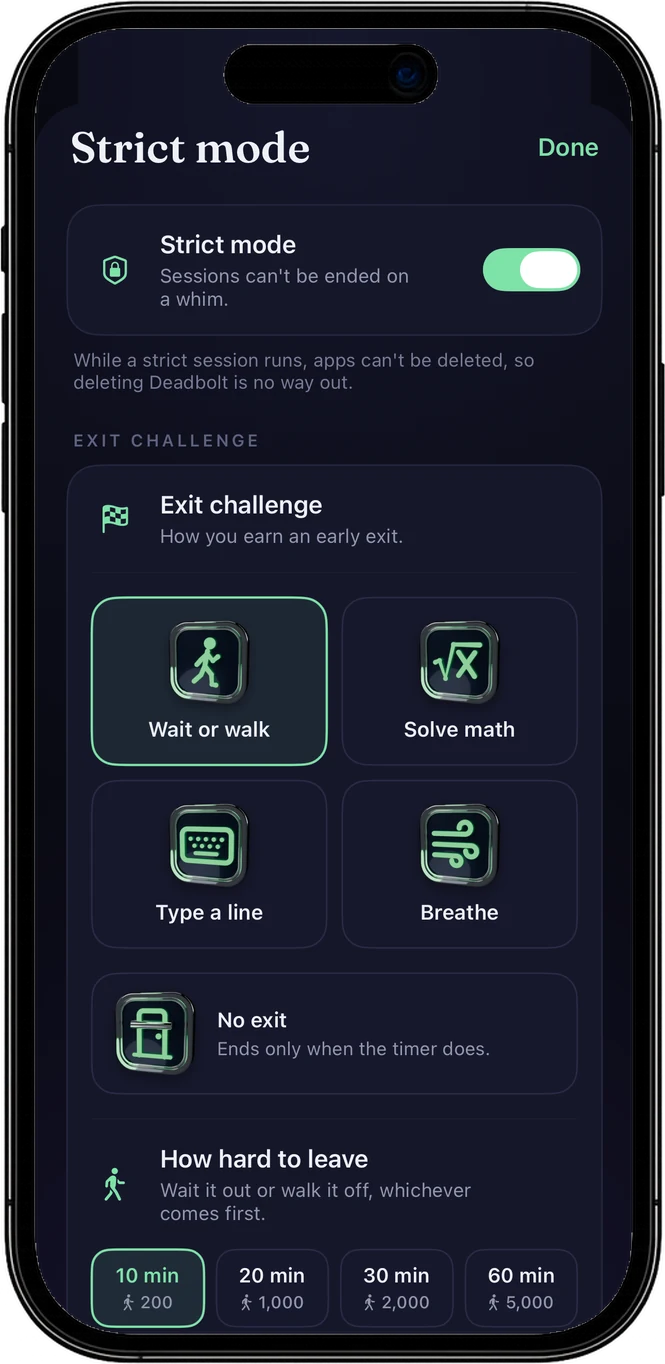
Strict mode has no instant exit. Leaving early means waiting out a cooldown of 10 to 60 minutes or walking 200 to 5,000 steps, at the level you set. Pro adds math, typing and breathing challenges, or No exit: then only the timer ends it.
Deleting the blocker
While a strict session runs, no app on the iPhone can be deleted, Deadbolt included. Apple’s switch is all-or-nothing, so Deadbolt tells you before you start.
Changing the clock
During a strict session the iPhone’s clock stays on automatic, so jumping the time forward doesn’t end it.
Closing the app
Locks are handed to iOS’s Screen Time system, so they keep running when Deadbolt is closed or swiped away.
Picking an easier exit mid-session
A running session takes over the app, so the exit you chose can’t be swapped for an easier one until it ends.
The honest part
One door left,
on purpose.
No app can lock iPhone Settings. The way left is switching off Deadbolt’s Screen Time access there, and iOS asks for your Face ID or passcode first. It isn’t a tap in a weak moment; it’s a decision you have to make on purpose.
Strict mode: FAQ
Is there an app blocker for iPhone that can’t be bypassed?
No app can lock iPhone Settings, so nothing is 100% impossible to get around. What Deadbolt’s Strict mode does is close the quick escapes: no instant exit, no deleting apps, no changing the clock, and it keeps running when the app is closed. The way left is a deliberate trip into Settings to switch off Deadbolt’s Screen Time access, and iOS asks for your Face ID or passcode first.
Can I stop a Deadbolt session early?
A normal session, yes. A strict session only through the exit you chose before starting: a cooldown, a step goal or a Pro challenge. With No exit there is no early way out at all; it unlocks when the timer ends.
Can I delete Deadbolt to get out?
Not during a strict session: it stops every app from being deleted until it ends. In a normal session, deleting the app removes its locks, which is why Strict mode exists.
Is Strict mode free?
Strict mode is part of Deadbolt Pro, along with bolts up to 8 hours and the exit challenges. The free version gives you 15-minute bolts twice a day, one blocklist and one daily block.
Do daily blocks hold too?
Yes. A daily block runs on its schedule even when Deadbolt is closed, and a strict daily block (Pro) can’t be ended early at all.
Related: Turn your iPhone into a dumb phone · Lock apps every night
No skip button. That’s the point.
Free to start. Bolt your first distraction in under a minute.