 Deadbolt
Guide
Turn your iPhone into
a dumb phone.
Keep calls, messages and maps. Lock everything else. No second phone needed.
Most people who want a dumb phone don’t want to lose maps, banking or sign-in codes. They want their iPhone without the feeds. That you can do with the phone you already have.
Three ways to do it
Strip it down with iPhone settings
Turn on grayscale, switch off notifications for the feeds, and move social apps off the Home Screen. It helps, but nothing stops you: Apple’s own App Limits offer "Ignore Limit" (behind your own passcode, if you set one), so on your own phone they are a suggestion.
Lock everything except a few apps
Deadbolt’s Allow-only mode (Pro) flips blocking around: you pick the handful of apps you keep, like Phone, Messages, Maps and your bank, and everything else on the iPhone is locked until the timer ends.
Or just lock the worst offenders
If a full dumb phone is too much, bolt only the apps that eat your day. That part is free: 15-minute bolts twice a day, one blocklist, and one daily block.
Dumb phone mode with Deadbolt
Four steps,
once.
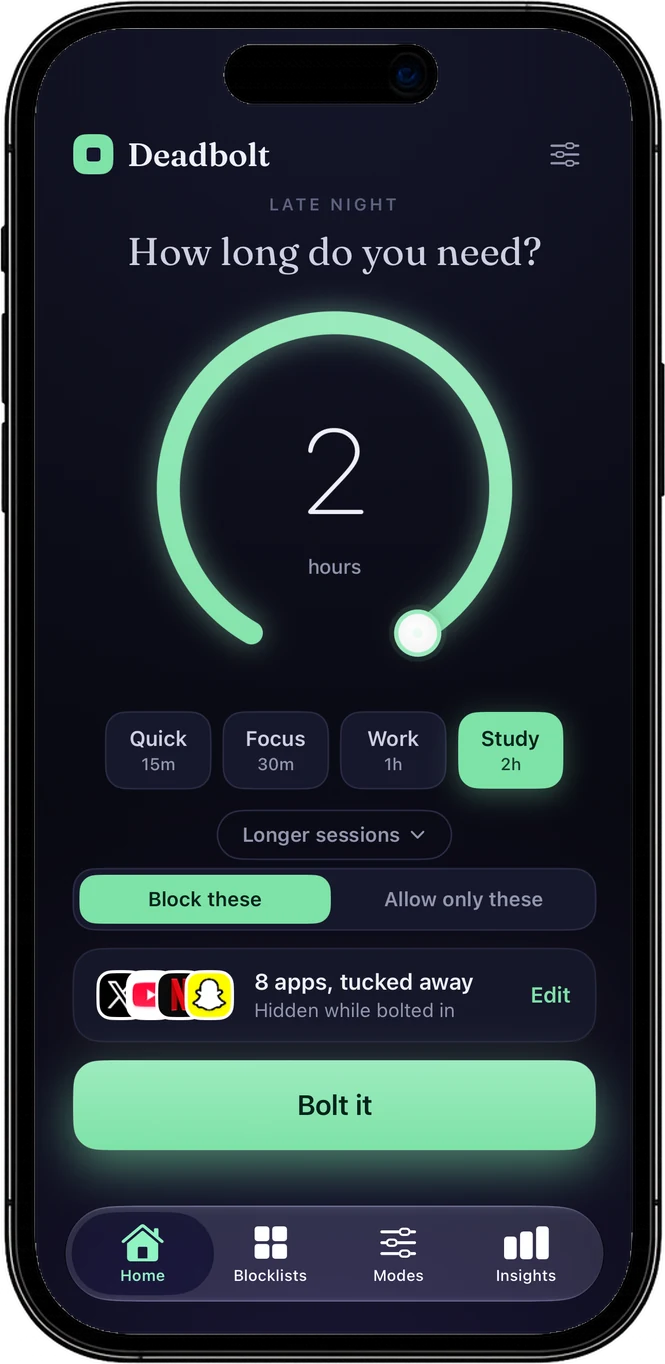
Choose "Allow only these"
On Deadbolt’s Home screen, switch from "Block these" to "Allow only these".
Pick the apps you keep
Calls, messages, maps, music, the bank. Everything you don’t pick gets locked.
Set a time and Bolt it
Turn the dial (up to 8 hours with Pro) and tap Bolt it. It holds even when Deadbolt is closed.
Make it every day
Add a daily block in the Modes tab and your iPhone turns into a dumb phone at the same hours every day, by itself.
Dumb phone mode: FAQ
What is "dumb phone mode" on an iPhone?
It means using your iPhone like a basic phone: calls, texts and a few tools still work, and the feeds, games and endless apps are out of reach. iPhone has no switch for it, but an app blocker with an allow-only mode does the job. Deadbolt locks every app except the ones you choose.
Can I still make calls and send texts?
Yes. Allow-only mode locks everything except the apps you pick, so keep Phone and Messages on your list (and Maps, your bank, anything else you need).
Do I need to buy a second, basic phone?
No. A second phone costs money and loses things you still need, like maps, banking and sign-in codes. Locking the iPhone you have down to a few apps gets most of the benefit.
Is dumb phone mode free in Deadbolt?
Allow-only mode is part of Deadbolt Pro. The free version blocks the specific apps you pick: 15-minute bolts twice a day, one blocklist and one daily block, no account.
Can I get out of it early?
A normal session can be ended early. With Strict mode (Pro) there is no instant exit: you wait out a cooldown or walk a step goal, or choose No exit and only the timer ends it.
Related: An app blocker you can’t just switch off · Lock apps every night
Keep the phone. Lose the feeds.
Free to start. Bolt your first distraction in under a minute.