 Deadbolt
iPhone app blocker
Block the apps
that own you.
Your iPhone ships with Screen Time — but it folds the second you tap "ignore." Here’s how iPhone app blocking really works, and how to make it stick.

Why willpower loses to your phone
Distraction apps aren’t neutral. Infinite feeds, autoplay and pull-to-refresh are tuned by teams of engineers to win the tug-of-war for your attention — and they usually do. An app blocker changes the game: instead of resisting in the moment, you decide once, ahead of time, and remove the choice.
The three kinds of iPhone app blocker
The pause
Adds a short delay or breath before an app opens (ScreenZen, One Sec). Gentle — good for mild habits, easy to push through.
The schedule
Locks apps on a recurring timetable — overnight, work, study. Set-and-forget. Deadbolt and most Screen Time tools do this.
The hard block
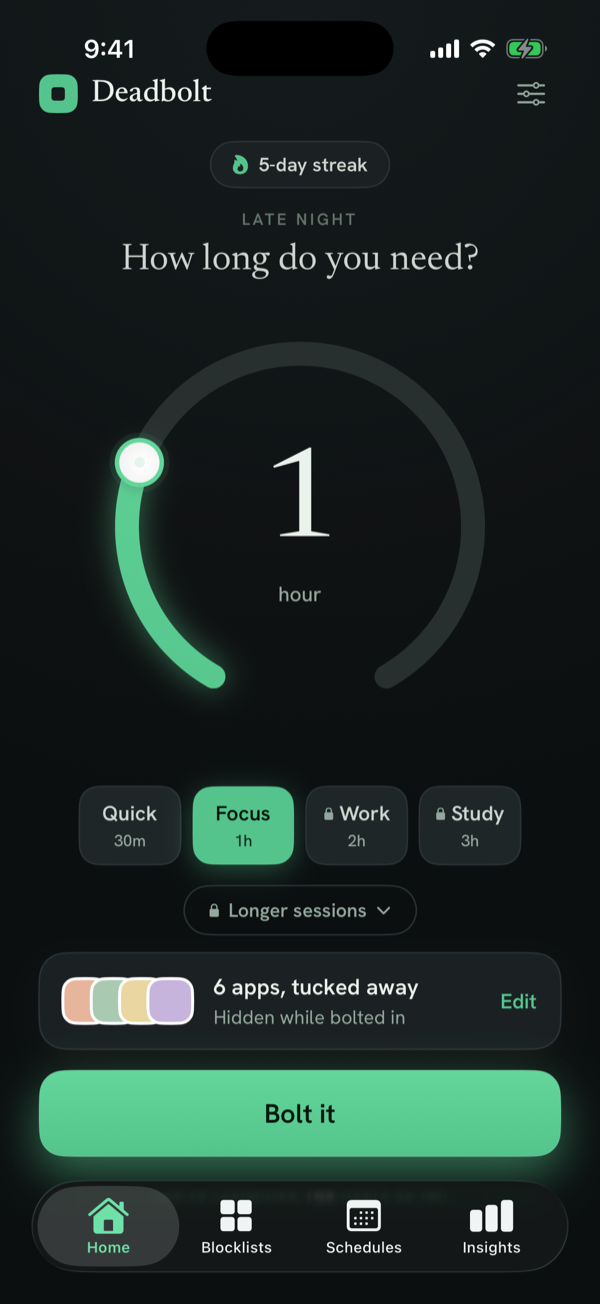
Makes the app genuinely unavailable, with real friction to quit early. This is where Deadbolt’s Strict Mode and walk-to-unlock live.
Why Deadbolt
The blocker built
to be hard to cheat.
Deadbolt runs on Apple’s Screen Time framework, so it’s private and reliable — then adds the friction Screen Time is missing.
- Strict Mode — no "ignore for today." No instant exit.
- Walk-to-unlock — leave early only after a cooldown, or 200 steps.
- Daily schedules — apps lock themselves, even when the app is closed.
- Private by design — no account, no tracking, all on-device.
Block a specific app
iPhone app blocking — FAQ
What is an iPhone app blocker?
An app blocker is an app that stops you from opening chosen apps — like Instagram, TikTok or YouTube — for a set time or on a schedule. On iPhone, good blockers are built on Apple’s Screen Time (Family Controls) framework, which keeps your app choices private on-device.
Doesn’t iPhone already have Screen Time?
Yes, and it’s a fine soft limit. But Screen Time limits are one tap to bypass ("Ignore for Today"), so they rarely hold. Dedicated blockers exist to add real friction — Deadbolt’s Strict Mode removes the easy exit entirely.
What’s the best app blocker for iPhone?
It depends on what you need. Deadbolt is built to be the hardest to bypass (strict mode + walk-to-unlock). ScreenZen is the best free option. Opal is the most feature-rich if you’ll pay. See our full comparison of the best app blockers.
Do app blockers see which apps I use?
A well-built one doesn’t. Deadbolt uses Apple’s Screen Time framework, which hands the app private tokens — Deadbolt never sees the names of the apps you pick, and nothing leaves your device.
Are iPhone app blockers free?
Some are. Deadbolt is free to start (Pro unlocks more); ScreenZen is fully free; Opal and Jomo are subscription-based.
Take back your attention.
Free to start. Bolt your first distraction in under a minute.